 EN
EN

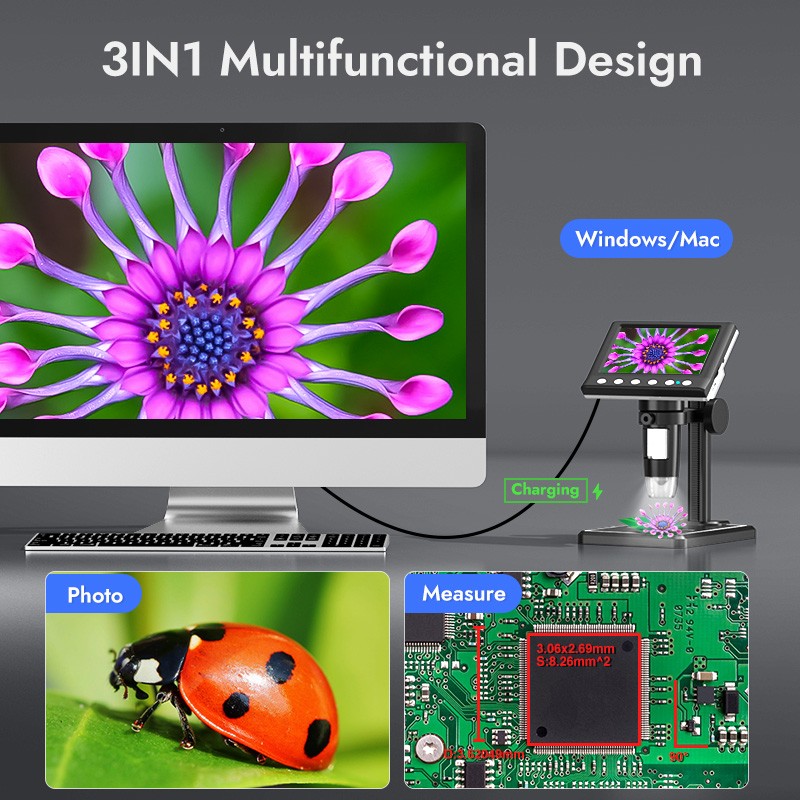
Proper maintenance of a circuit board microscope is crucial for ensuring accurate inspections, extending equipment lifespan, and maintaining consistent performance in electronics manufacturing and repair environments. These precision instruments require regular care to deliver the high-resolution imaging capabilities essential for detecting microscopic defects, analyzing component placement, and performing quality control on printed circuit boards.
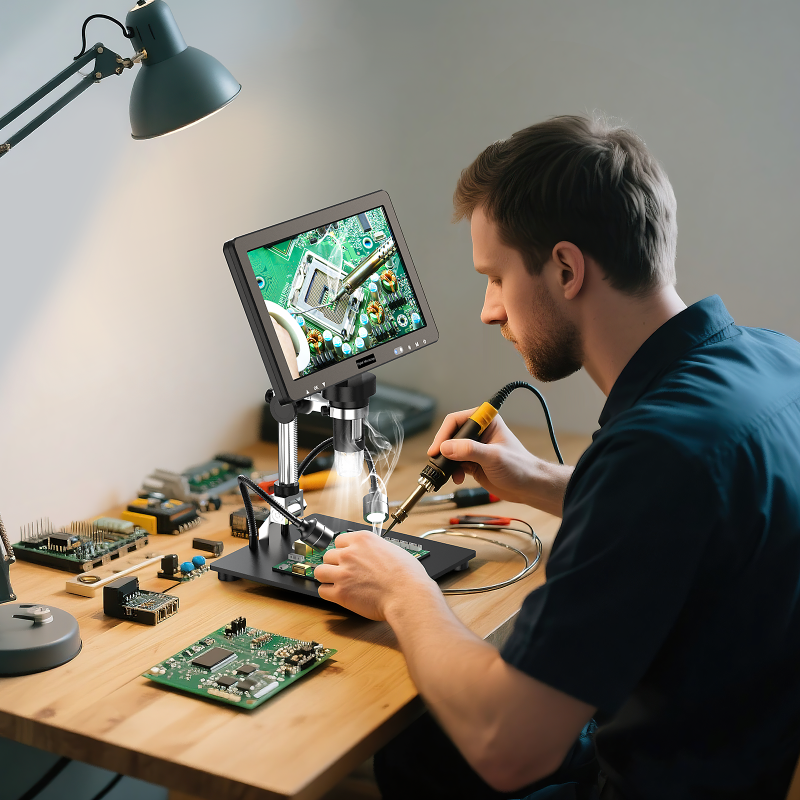
Understanding the maintenance requirements of a circuit board microscope helps prevent costly downtime, ensures optimal image quality, and protects your investment in precision inspection equipment. From daily cleaning protocols to periodic calibration checks, implementing systematic maintenance practices creates a foundation for reliable long-term operation in demanding industrial and laboratory settings.
Daily Maintenance Procedures
Optical System Cleaning
The optical components of a circuit board microscope require daily attention to maintain clear, distortion-free imaging. Dust, fingerprints, and microscopic particles can significantly degrade image quality and interfere with accurate circuit board analysis. Begin each maintenance session by powering down the microscope and allowing all components to reach room temperature.
Clean the objective lenses using lint-free optical cleaning tissues and appropriate lens cleaning solutions. Work from the center of each lens outward in a spiral motion, applying gentle pressure to avoid scratching the delicate optical surfaces. For stubborn residues, use isopropyl alcohol specifically formulated for optical cleaning, ensuring complete evaporation before reassembling components.
The eyepieces and viewing screens of your circuit board microscope also require regular cleaning to prevent accumulated contaminants from affecting inspection accuracy. Remove eyepieces carefully according to manufacturer guidelines and clean both ends using the same spiral motion technique applied to objective lenses.
Stage and Work Surface Care
The microscope stage where circuit boards are positioned during inspection accumulates flux residues, dust, and metal particles that can interfere with precise positioning and contaminate future samples. Clean the stage surface using mild detergents and soft cloths, ensuring all cleaning agents are completely removed before placing circuit boards for examination.
Inspect stage adjustment mechanisms for smooth operation and apply appropriate lubricants to mechanical components as specified in your circuit board microscope maintenance manual. Verify that all positioning controls move freely without binding or excessive play that could affect measurement accuracy.
Check the condition of stage clips, sample holders, and positioning guides that secure circuit boards during inspection. Replace worn or damaged components promptly to maintain stable sample positioning and prevent accidental movement during critical examinations.
Preventive Maintenance Protocols
Environmental Control Systems
Temperature and humidity fluctuations can affect the performance and longevity of a circuit board microscope, making environmental monitoring an essential component of preventive maintenance. Establish optimal operating conditions by maintaining consistent temperature ranges between 18-24°C and relative humidity levels between 40-60% in the inspection area.
Install air filtration systems to reduce airborne contaminants that can settle on optical surfaces and circuit board samples. HEPA filtration provides effective protection against microscopic particles that could interfere with high-magnification inspection tasks and compromise the accuracy of defect detection.
Monitor vibration levels in the installation area, as mechanical disturbances can affect image stability and measurement precision in sensitive circuit board microscope applications. Isolate the microscope from building vibrations using appropriate anti-vibration tables or isolation platforms designed for precision optical instruments.
Illumination System Maintenance
The illumination system of a circuit board microscope requires regular attention to maintain consistent lighting conditions essential for accurate color reproduction and contrast detection. LED illumination systems generally require less maintenance than traditional incandescent or fluorescent sources, but periodic cleaning and inspection remain important.
Clean illumination diffusers and light guides using appropriate cleaning materials to ensure even light distribution across the circuit board surface. Uneven illumination can create shadows or bright spots that mask defects or create false positives during automated inspection processes.
Verify that all illumination controls function properly and that light intensity remains stable throughout extended inspection sessions. Document any gradual changes in illumination performance that might indicate pending component failures requiring professional service.
Calibration and Alignment Procedures
Measurement Accuracy Verification
Regular calibration ensures that dimensional measurements taken with your circuit board microscope remain accurate and traceable to recognized standards. Use certified reference standards appropriate for the magnification ranges and measurement types commonly performed in your inspection procedures.
Establish a calibration schedule based on usage intensity, environmental conditions, and quality requirements. High-volume production environments may require weekly or monthly calibration checks, while occasional-use applications might extend calibration intervals to quarterly or semi-annual periods.
Document all calibration results and maintain historical records that can identify trending issues or gradual performance degradation. This data helps predict when major service interventions may be required and supports quality system documentation requirements.
Optical Alignment Optimization
Proper optical alignment ensures that all magnification levels provide sharp, distortion-free images across the entire field of view. Misalignment can cause focus variations, image distortion, and measurement errors that compromise inspection reliability in circuit board applications.
Check parfocality between different objective lenses to ensure that changing magnification levels does not require significant refocusing. Poor parfocality indicates alignment issues that require professional adjustment to restore optimal performance.
Verify that the optical axis remains perpendicular to the circuit board surface when positioned on the microscope stage. Angular deviations can introduce measurement errors and make comparative analyses between different areas of the same circuit board unreliable.
Storage and Handling Best Practices
Protective Measures During Non-Use
Proper storage protocols protect your circuit board microscope from environmental contamination and mechanical damage during periods of non-use. Cover all optical surfaces with appropriate dust covers or caps designed specifically for microscope components to prevent accumulation of airborne particles.
Store the microscope in a clean, climate-controlled environment away from sources of vibration, chemical vapors, and direct sunlight. Temperature fluctuations and exposure to corrosive substances can damage sensitive optical coatings and mechanical components over time.
Remove circuit board samples and clean the stage area thoroughly before storage to prevent flux residues and other contaminants from hardening and becoming more difficult to remove during subsequent use. This practice also prevents potential chemical interactions that could damage stage surfaces.
Transportation and Relocation Guidelines
When relocating a circuit board microscope, follow manufacturer guidelines for disassembly and packaging to prevent damage to delicate optical and mechanical components. Secure all removable parts separately and use original packaging materials when available for optimal protection.
Document the configuration and calibration settings before disassembly to facilitate accurate reassembly and minimize recalibration requirements at the new location. Photograph cable connections and component positions to ensure proper restoration of all system functions.
Allow adequate time for temperature stabilization after relocation before resuming normal operation. Rapid temperature changes can cause condensation on optical surfaces and affect mechanical tolerances in precision components of the circuit board microscope.
FAQ
How often should I clean the lenses of my circuit board microscope?
Clean the objective lenses daily if the microscope is used frequently, or before each use session if operated intermittently. Eyepieces should be cleaned weekly or whenever image quality appears degraded. Always use lint-free optical tissues and appropriate cleaning solutions to avoid scratching the delicate optical surfaces.
What are the signs that my circuit board microscope needs professional service?
Professional service is needed when you notice persistent image quality issues that cleaning cannot resolve, mechanical binding in adjustment controls, illumination problems that component replacement cannot fix, or when calibration attempts fail to achieve acceptable accuracy levels. Any unusual noises or erratic electronic behavior also indicate the need for expert attention.
Can I use regular household cleaners on my circuit board microscope?
Never use household cleaners, abrasive materials, or general-purpose solvents on optical components. These products can damage anti-reflective coatings, scratch lens surfaces, and leave residues that degrade image quality. Use only cleaning materials and solutions specifically designed for optical instruments and precision microscopy equipment.
How should I store my circuit board microscope during extended periods of non-use?
Store the microscope in a clean, dry environment with stable temperature and humidity levels. Cover all optical surfaces with dust caps, remove any circuit board samples from the stage, and clean all surfaces thoroughly. Consider using desiccant packs in humid environments and check the storage area periodically for signs of condensation or contamination.