 EN
EN


Digital magnifying glass applications have revolutionized accessibility for seniors, transforming smartphones and tablets into powerful visual assistance tools. These innovative apps provide instant magnification capabilities that eliminate the need for carrying physical magnifying glasses, offering seniors greater independence and convenience in their daily activities. The evolution of magnifying glass digital technology has created sophisticated solutions specifically designed to address the visual challenges that many older adults face when reading small text, examining objects, or navigating digital interfaces.
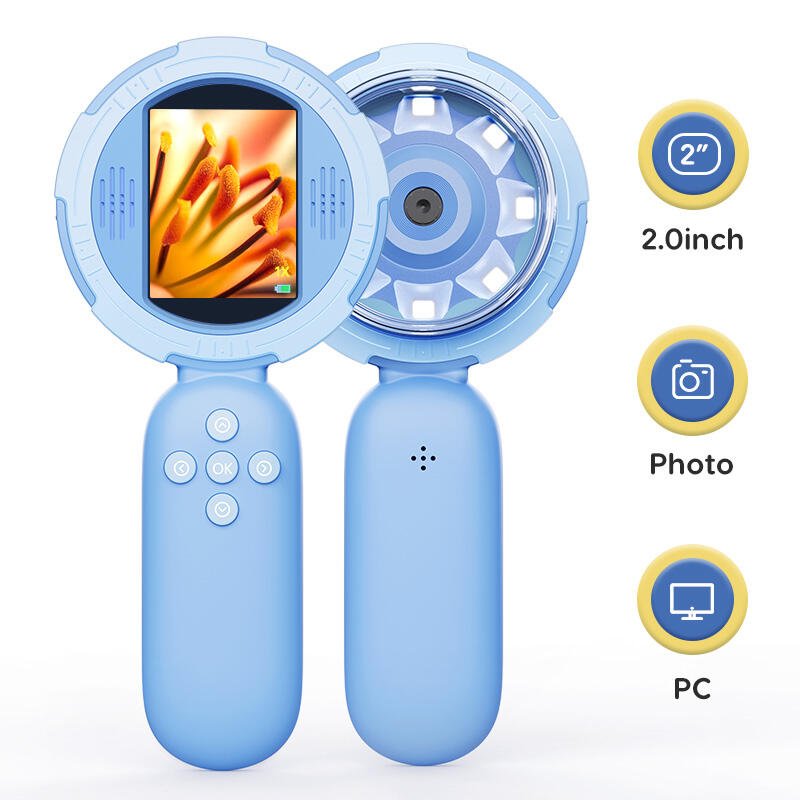
The selection of top magnifying glass digital applications for seniors requires careful consideration of usability, functionality, and age-appropriate design features. Modern digital magnification apps go far beyond simple zoom functions, incorporating advanced features like high contrast modes, freeze-frame capabilities, flashlight integration, and customizable color filters that specifically address the visual needs of older users. Understanding which applications deliver the most practical benefits helps seniors make informed decisions about digital tools that can significantly enhance their quality of life and maintain their independence in an increasingly digital world.
Essential Features of Senior-Friendly Magnifying Glass Digital Applications
User Interface Design Considerations
The most effective magnifying glass digital apps for seniors prioritize intuitive interface design with large, clearly labeled buttons and simplified navigation menus. These applications eliminate unnecessary complexity by focusing on core magnification functions while maintaining easy access to essential features. The button placement follows logical patterns that accommodate natural finger movements, reducing the learning curve for seniors who may be less familiar with touchscreen technology.
Color contrast optimization plays a crucial role in senior-friendly magnifying glass digital applications, with many top-rated apps offering customizable background colors and text contrast settings. These visual adjustments help seniors with varying degrees of visual impairment achieve optimal viewing conditions for different tasks. The most successful applications also incorporate voice feedback options and audio cues that guide users through different functions without requiring them to rely solely on visual indicators.
Touch sensitivity calibration represents another critical aspect of user-friendly design in magnifying glass digital apps for seniors. These applications often include adjustable touch response settings that accommodate decreased finger dexterity or tremor-related challenges. The best apps also provide gesture alternatives, allowing seniors to choose between tap-based controls or swipe gestures based on their individual comfort levels and physical capabilities.
Advanced Magnification Technologies
Modern magnifying glass digital applications employ sophisticated image processing algorithms that deliver crystal-clear magnification without the pixelation issues common in older digital zoom technologies. These advanced systems utilize smart interpolation techniques that enhance text clarity and object definition even at maximum zoom levels. The integration of optical character recognition capabilities in premium apps also enables text-to-speech functionality, providing additional accessibility benefits for seniors with severe visual limitations.
Real-time image stabilization technology has become a standard feature in high-quality magnifying glass digital apps, automatically compensating for hand tremor or minor camera movements that could otherwise make reading difficult. This stabilization works in conjunction with auto-focus systems that continuously adjust to maintain sharp image quality as users move their devices closer to or farther from target objects. The combination of these technologies ensures consistent performance regardless of a senior's level of hand steadiness.
Multi-level zoom functionality allows seniors to select from various predetermined magnification levels or use smooth continuous zoom controls depending on their preferences and needs. The most versatile magnifying glass digital applications support zoom ranges from 2x to 32x magnification, providing sufficient power for reading fine print while maintaining reasonable image quality. Advanced apps also include zoom memory features that remember preferred magnification levels for different types of tasks.
Comprehensive Evaluation Criteria for Senior Accessibility
Visual Enhancement Capabilities
The evaluation of magnifying glass digital apps for seniors must consider the range and effectiveness of visual enhancement features beyond basic magnification. High-quality applications offer multiple color filter options including yellow tinting for reduced eye strain, high contrast black-and-white modes for maximum clarity, and inverted color schemes that can improve readability for certain types of visual impairments. These filters can be applied individually or in combination with magnification settings to create customized viewing experiences.
Brightness control integration allows seniors to adjust illumination levels independently from their device's main brightness settings, ensuring optimal viewing conditions in various lighting environments. The most comprehensive magnifying glass digital apps also incorporate automatic brightness adjustment that responds to ambient light conditions, reducing the need for manual adjustments throughout the day. Some advanced applications even include blue light filtering options that can reduce eye fatigue during extended reading sessions.
Text recognition and enhancement features distinguish premium magnifying glass digital applications from basic zoom tools. These capabilities include edge enhancement algorithms that sharpen text boundaries, background noise reduction that eliminates visual distractions, and automatic text orientation that ensures printed material appears right-side up regardless of how the device is positioned. The integration of these features creates a more comfortable and efficient reading experience for seniors dealing with age-related vision changes.
Practical Functionality Assessment
Battery efficiency represents a critical consideration when evaluating magnifying glass digital apps for seniors, as these applications typically require continuous camera operation and intensive image processing. The top-performing apps optimize power consumption through intelligent resource management, automatically reducing processing intensity when maximum performance isn't required. Apps that can operate effectively for extended periods without significantly draining device batteries provide greater practical value for seniors who may use magnification tools throughout their daily routines.
Storage and sharing capabilities enable seniors to capture and save magnified images for later reference or to share important information with family members or healthcare providers. The most user-friendly magnifying glass digital apps streamline these processes with one-touch capture functions and simplified sharing options that don't require complex file management skills. Cloud integration features also allow seniors to access saved images across multiple devices, providing flexibility in how they manage and retrieve magnified content.
Offline functionality ensures that magnifying glass digital apps remain useful even when internet connectivity is limited or unavailable. The best applications for seniors operate independently of network connections, storing all necessary processing capabilities locally on the device. This reliability is particularly important for seniors who may not have consistent internet access or who prefer not to depend on network connectivity for essential daily tools.
Platform-Specific Considerations and Compatibility
iOS Application Landscape
The iOS ecosystem offers several high-quality magnifying glass digital applications that take advantage of Apple's accessibility frameworks and camera technologies. These apps benefit from tight integration with built-in accessibility features like VoiceOver and AssistiveTouch, creating seamless experiences for seniors who already use Apple's accessibility tools. The consistent design language across iOS apps also means that seniors familiar with one magnification app can more easily adapt to alternative options if their needs change.
iOS magnifying glass digital apps typically demonstrate superior camera performance optimization, leveraging Apple's advanced image signal processing capabilities to deliver clearer magnification results. The integration with iOS's native camera features allows these apps to access advanced focusing modes and image stabilization technologies that may not be available to third-party apps on other platforms. Regular iOS updates also ensure that magnification apps continue to benefit from the latest camera and accessibility improvements.
Privacy and security considerations are particularly important for seniors using magnifying glass digital applications, and iOS apps generally benefit from Apple's strict app review process and privacy guidelines. These applications must clearly disclose any data collection practices and typically operate with minimal permissions, focusing solely on camera access necessary for magnification functions. The sandboxed nature of iOS apps also provides additional protection against potential security vulnerabilities that could affect sensitive personal information.
Android Platform Advantages
Android magnifying glass digital applications offer greater customization flexibility, allowing seniors to adapt app interfaces and functionality to match their specific needs and preferences. The open nature of the Android platform enables developers to create more diverse feature sets and integration options with other accessibility apps and tools. This flexibility can be particularly beneficial for seniors who use multiple assistive technologies or who have complex accessibility requirements.
Hardware compatibility across the diverse Android ecosystem means that magnifying glass digital apps must be designed to work effectively on devices with varying camera specifications and processing capabilities. The best Android magnification apps include adaptive performance features that automatically adjust processing requirements based on available hardware resources. This compatibility ensures consistent functionality across different price points and device generations, making quality magnification tools accessible to seniors regardless of their technology budget.
Google's accessibility services integration provides Android magnifying glass digital apps with access to powerful system-level features like TalkBack screen reader integration and high contrast system themes. These integrations create more cohesive accessibility experiences for seniors who rely on multiple assistive technologies simultaneously. The ability to customize system-wide accessibility settings also means that preferences set in magnification apps can be applied consistently across other Android applications.
Implementation Strategies and User Adoption
Setup and Configuration Best Practices
Successful implementation of magnifying glass digital apps for seniors begins with careful attention to initial setup and configuration processes. The most effective apps provide guided setup wizards that walk users through essential settings like magnification levels, color preferences, and interface customization options. These setup processes should be designed with senior users in mind, using clear language, visual demonstrations, and the option to skip advanced features that may not be immediately necessary.
Family member involvement during the setup process can significantly improve adoption success rates for magnifying glass digital applications among seniors. Many top-rated apps include family sharing features that allow adult children or caregivers to help configure optimal settings remotely or to provide ongoing technical support. The ability to create multiple user profiles within a single app installation also accommodates seniors who may share devices with family members or who need different settings for different types of tasks.
Training and familiarization strategies should focus on practical, task-based learning approaches that demonstrate how magnifying glass digital apps can address specific daily challenges. Rather than attempting to cover all available features immediately, successful implementation focuses on mastering basic magnification functions first, then gradually introducing additional capabilities as seniors become more comfortable with the core functionality. This progressive approach reduces overwhelm and builds confidence in using digital magnification tools.
Long-term Usage Optimization
Maintaining effective long-term use of magnifying glass digital apps requires ongoing attention to changing user needs and evolving visual requirements. The most successful apps include usage tracking features that help identify patterns in magnification preferences and suggest optimizations based on actual usage data. These insights can help seniors fine-tune their settings and discover features that could enhance their daily activities.
Regular app updates and feature enhancements ensure that magnifying glass digital applications continue to meet evolving accessibility standards and take advantage of improving device technologies. Seniors benefit from apps that communicate update information clearly and provide migration assistance when interface changes or new features are introduced. The best applications maintain backward compatibility while gradually introducing improvements that enhance functionality without disrupting established usage patterns.
Community support and user feedback mechanisms create valuable resources for seniors learning to maximize their use of magnifying glass digital applications. Apps that include user forums, tutorial libraries, or direct feedback channels enable seniors to learn from others' experiences and receive help with specific challenges. This community aspect can be particularly valuable for seniors who may feel isolated or intimidated by technology adoption processes.
FAQ
What makes a magnifying glass digital app suitable for seniors?
A magnifying glass digital app suitable for seniors features large, clearly labeled buttons, high contrast display options, simple navigation menus, and adjustable touch sensitivity. The best apps prioritize essential magnification functions while minimizing complexity, include voice guidance options, and offer customizable visual settings like color filters and brightness controls. Battery efficiency and offline functionality are also important considerations for senior users.
How much magnification power do seniors typically need in digital apps?
Most seniors find that magnifying glass digital apps with zoom ranges from 2x to 16x magnification meet their daily reading and viewing needs effectively. While some apps offer up to 32x magnification, levels between 4x and 12x are most commonly used for reading prescription labels, newspapers, menus, and other typical daily tasks. The ability to adjust magnification smoothly or select from preset levels provides flexibility for different situations.
Can magnifying glass digital apps replace traditional magnifying glasses completely?
While magnifying glass digital apps offer many advantages including portability, adjustable settings, and additional features like lighting controls, they may not completely replace traditional magnifying glasses for all seniors. Digital apps excel for reading printed materials and examining objects in good lighting conditions, but traditional magnifying glasses may still be preferred for detailed handwork, outdoor use, or situations where battery life is a concern. Many seniors find that using both options provides the most comprehensive solution.
Are magnifying glass digital apps safe to use regarding privacy and data security?
Reputable magnifying glass digital apps prioritize user privacy by operating entirely on-device without transmitting captured images or personal data to external servers. The best apps request only necessary camera permissions and clearly explain their data usage policies. Seniors should choose apps from established developers with good privacy track records and avoid applications that require unnecessary permissions or account registrations for basic magnification functionality.
Table of Contents
- Essential Features of Senior-Friendly Magnifying Glass Digital Applications
- Comprehensive Evaluation Criteria for Senior Accessibility
- Platform-Specific Considerations and Compatibility
- Implementation Strategies and User Adoption
-
FAQ
- What makes a magnifying glass digital app suitable for seniors?
- How much magnification power do seniors typically need in digital apps?
- Can magnifying glass digital apps replace traditional magnifying glasses completely?
- Are magnifying glass digital apps safe to use regarding privacy and data security?